
What's inside
- What Makes the Best WiFi Router for Dorm Rooms
- Quick Comparison: Best WiFi Routers for Dorm Rooms Compared
- Best WiFi Routers for Dorm Rooms: The Six Reviewed
- Buying Guide: How to Choose the Best WiFi Router for Your Dorm Room
- How We Selected the Best WiFi Routers for Dorm Rooms
- Frequently Asked Questions About WiFi Routers for Dorm Rooms
As an Amazon Associate I earn from qualifying purchases. This post may contain affiliate links at no extra cost to you.
The best WiFi router for dorm rooms is a purchase with a paragraph that must come before every comparison, because in a dorm, the network is not yours. Most universities run the building’s WiFi themselves, and their acceptable use policies decide whether a personal router is allowed at all, allowed only in access point mode, allowed after registering its MAC address with IT, or banned outright — with the ban enforced, at some schools, by detection systems that will find a rogue router in a small building faster than you would think. So this guide’s first instruction is not a product: read your housing and IT policy, in full, before spending anything. Where personal routers are prohibited, the honest alternatives at the end of this guide — a small switch for wired devices, your devices’ own hotspot features used within policy, and a conversation with the IT helpdesk about dead spots — will serve you better than a confiscated router and a conduct note.
Where a router is permitted, the dorm inverts the usual buying logic, and this guide follows the inversion. Coverage, the home buyer’s obsession, is nearly free in a twelve-by-fifteen room: any competent modern router covers it from any corner. What a dorm actually tests is congestion — dozens of networks and hundreds of devices stacked floor on floor, all shouting in the same bands — and the quality of a router’s current WiFi standard, its 5GHz performance, and its ability to share a single dorm Ethernet port fairly among your laptop, console, TV, and phone. Many dorm rooms provide one wired port, sometimes fast, sometimes not, and the permitted router’s real job is often to turn that one honest wired connection into a small, well-run private network for one room and one student.
Size, heat, and simplicity complete the dorm specification. The router will live on a desk, a shelf, or the top of a mini-fridge, in a room that is also a bedroom, a study, and a social space, so a compact, cool-running, unglamorous box beats a sprawling gaming flagship with aerials like a crown. Setup should be an app and ten minutes, security should be modern and default-on, and the price should respect a student budget and a student’s honest assessment of loss, damage, and the roommate variable. The models below are graded on exactly that: permission-friendly features like access point mode and MAC cloning where IT requires them, current WiFi 6 or better radios, enough wired ports for a desk, and footprints measured in textbooks, not in rack units.
Our Top Picks
What Makes the Best WiFi Router for Dorm Rooms
Permission Features: AP Mode, MAC Registration, and Being a Good Network Citizen
Where IT allows personal routers, it usually attaches conditions, and the router must be able to meet them. Access point mode — where the router extends the campus network rather than creating a private NAT network behind it — is the most common requirement, because it keeps every device visible and registered to the university. MAC address cloning or a clearly reported MAC address matters where the port authenticates a single registered device. A router that can disable its radios’ more aggressive features, keep its firmware updated, and be switched off entirely during network incidents is a router a helpdesk can live with. Check your policy’s exact words against the model’s published modes before ordering, and when in doubt, ask the helpdesk — students who ask first are treated differently from students who are discovered, at every university on earth.
WiFi 6 or Better, and the 5GHz Band Is Your Real Network
In a dorm’s radio congestion, the current standard is not a luxury: WiFi 6 and 6E routers handle many neighbouring networks and many devices per network with technologies — OFDMA and improved scheduling, in the makers’ published specifications — designed for exactly this density, where older WiFi 5 designs merely shout louder. The 5GHz band, shorter-ranged and far less crowded, is where your laptop and console should live in a small room; the 2.4GHz band is the fallback for the one smart device that insists on it and for the room’s far corner. If your building offers 6GHz through WiFi 6E or 7, it is emptier still, though a personal router’s case for it on a student budget is weaker. Buy the newest standard your budget reaches, because the dorm is the environment it was designed for.
Wired Ports and the Desk Cluster
The quiet hero of dorm networking is the humble Ethernet port. A wired connection to the desk — laptop dock, console, desktop — is immune to the building’s radio weather, steadier for gaming and calls, and frees the WiFi for the devices that have no choice. Count the router’s LAN ports against your desk cluster, check whether the dorm’s wall port or the router’s WAN side limits speed — many campus ports are gigabit, some are slower, and no router outruns the wall — and keep a short Ethernet cable in the setup for the one device that matters most. A router with too few ports pairs with a small unmanaged switch, which most policies treat more kindly than routers anyway, and which this guide recommends without hesitation as the dorm’s most underrated purchase.
Quick Comparison: Best WiFi Routers for Dorm Rooms Compared
| Dorm Room Router Model | Best For | Key Specs | Typical Price Range | Rating |
|---|---|---|---|---|
| TP-Link Archer AX55 | Best wifi router for dorm rooms overall | WiFi 6 router, access point mode, gigabit ports, app setup and parental/security features as published | $90 – $130 | 4.7 / 5 |
| GL.iNet Beryl AX (GL-MT3000) | Best travel-size and permission-friendly | Compact WiFi 6 travel router, router/AP/repeater modes, USB-C powered, VPN features as published | $85 – $110 | 4.7 / 5 |
| ASUS RT-AX58U | Best features and longevity | WiFi 6 router, AP mode, AiMesh expandability, security suite features as published | $130 – $180 | 4.6 / 5 |
| NETGEAR RAX20 / WiFi 6 range | Best simple mainstream choice | WiFi 6 router, app setup, AP mode options, gigabit ports as published | $90 – $140 | 4.4 / 5 |
| TP-Link Archer AX23 | Best budget WiFi 6 | WiFi 6 router, AP mode, app setup, gigabit ports on most variants as published | $60 – $90 | 4.4 / 5 |
| GL.iNet Slate AX (GL-AXT1800) | Best for privacy and flexibility | WiFi 6 travel router, multiple operating modes, compact USB-C powered design as published | $110 – $140 | 4.5 / 5 |

TP-Link AX1800 WiFi 6 Router (Archer AX21 V5) | Dual Band Wireless Internet, Gigabit, Easy Mesh, Works with Alexa - A Certified for Humans Device
As an Amazon Associate we earn from qualifying purchases. Product prices and availability are accurate as of the date/time indicated.

NETGEAR Nighthawk WiFi 6 Router R6700AX, Up to 1,500 sq ft, 1.8 Gbps | Reliable Performance, Easy Set Up, 20 devices, 4× Gigabit Ports, Dual Band, AX1800
As an Amazon Associate we earn from qualifying purchases. Product prices and availability are accurate as of the date/time indicated.
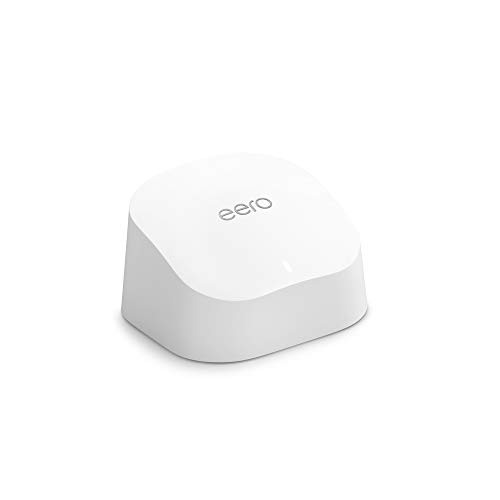
Amazon eero 6 mesh wifi router - Supports internet plans up to 900 Mbps, Coverage up to 1,500 sq. ft., Connect 75+ devices, 1-pack


As an Amazon Associate we earn from qualifying purchases. Product prices and availability are accurate as of the date/time indicated.
Ratings are editorial assessments for permitted dorm use, based on the makers’ published standards, modes, and port specifications, and value at typical prices. Prices are typical retail ranges. Every rating assumes the router is used in compliance with the university’s network policy — in access point mode or registered as required — because a router used against policy has no rating at all, only a confiscation date.
Best WiFi Routers for Dorm Rooms: The Six Reviewed
1. TP-Link Archer AX55 – Best Overall
The Archer AX55 is the dorm default where a full router is permitted: current WiFi 6 radios that hold up in a dense building, an access point mode for the schools that require it, enough gigabit ports for a desk cluster, and app setup simple enough to complete between classes. It is compact, cool, and priced like a textbook rather than a console. Its security features and firmware support come from a mainstream line that will be maintained through a degree. For the student whose policy says yes, it is the answer that needs no further thought.
2. GL.iNet Beryl AX – Best Travel-Size
The Beryl AX is the connoisseur’s dorm router: a pocket-sized WiFi 6 box, powered by USB-C, fluent in every mode a network can ask of it — router, access point, repeater — with a sophistication about permissions and shared networks that comes from being designed for hotels and rentals. In a dorm, that translates to a router that can comply with almost any policy’s letter, pack into a laptop bag for summers and study abroad, and run from a power bank in a pinch. Its ports are few, as its size dictates, so pair it with a small switch for a wired desk. For the network-literate student, it is the most interesting purchase in this table.
3. ASUS RT-AX58U – Best for Features and Longevity
ASUS’s router suits the student who will take it to a first apartment after graduation: strong WiFi 6 performance, a respected security suite, access point mode, and the option to become a mesh node later rather than e-waste. It costs more than a dorm strictly needs, and justifies it across a five-year life rather than a four-year degree. Computer science students and tinkerers will also find its firmware the most instructive in the table, which at a university is a feature, not a distraction.
4. NETGEAR WiFi 6 Range – Best Simple Mainstream
NETGEAR’s mainstream WiFi 6 models offer the dorm essentials — current radios, app setup, access point options, gigabit ports — in the boxes most likely to be found in a hometown store the weekend before move-in. They lack the travel routers’ modal fluency and the ASUS’s depth, and for a straightforward permitted setup they need neither. Check the exact model’s published port count and AP mode before buying, as the range is wide, and the mainstream case makes itself.
5. TP-Link Archer AX23 – Best Budget
The AX23 brings WiFi 6 and the essential modes to the price of a night out, which is where a dorm router’s budget honestly belongs. It covers a small room entirely, serves a desk cluster adequately, and leaves money for the switch, the cables, and the kettle that complete a dorm’s actual infrastructure. Its radios and processor are a step below the AX55’s, a difference a single room will rarely reveal. For the permitted, price-conscious setup, it is the rational floor of the category.
6. GL.iNet Slate AX – Best for Privacy and Flexibility
The Slate AX is the Beryl’s bigger sibling: the same travel-router fluency with more performance and ports, aimed at the student who runs a VPN on the router itself, studies networking, or simply wants one small box that can be a dorm router this year and a travel router for a decade. Its learning curve is the steepest here and its audience the most technical, and for that audience it is unmatched at its size and price. Everyone else should buy the Beryl and spend the difference on pizza, in the grand dorm tradition.
Buying Guide: How to Choose the Best WiFi Router for Your Dorm Room
Step One Is the Policy, Read Like a Syllabus
Find your university’s housing network policy and read the personal router section word for word. Note whether routers are allowed, in which mode, with what registration, and what happens if the network team detects a problem. If routers are banned, stop here and buy the alternatives: a small unmanaged switch for wired devices where wired ports are permitted, longer Ethernet cables, and a friendly relationship with the IT helpdesk, whose dead-spot reports genuinely do get buildings fixed. If routers are allowed with conditions, write the conditions down; they become the specification sheet you shop against, ahead of any speed claim.
Step Two: Configure It Like a Guest on Someone Else’s Network
Set the router up exactly as the policy directs: access point mode if required, the MAC address registered if required, a unique network name that does not advertise anything you would not want read aloud in a conduct meeting, and current WPA security with a strong password shared with nobody outside the room — a dorm network password has the half-life of a rumour. Update the firmware on arrival and each term, change the admin password from its default, and disable features the policy frowns on or you do not use. Keep the router where air reaches it and roommates’ drinks do not, and know how to switch it off quickly if the network team ever asks. Citizenship, in a dorm network, is a feature you provide.
Step Three: Wire the Desk, Share Fairly, and Plan the Exit
Put the laptop and console on Ethernet, the phone and tablet on 5GHz, and the smart bulb on 2.4GHz, and your small network will outperform the building’s on the devices that matter. Be a fair citizen of the shared wall port: no experiments that flood or scan the campus network, no servers the policy prohibits, and an honest acceptance that the university’s network team can see the traffic patterns of anything behind your router where policy says so. At year’s end, factory-reset the router before selling or storing it — it holds your network’s keys and habits — and take it home rather than abandoning it in the room, because a forgotten router plugged into a dorm wall is next year’s mystery incident for someone else.
How We Selected the Best WiFi Routers for Dorm Rooms
We included only real, named, currently sold routers from established makers, with published WiFi standards, operating modes, and port specifications. Permission compliance — access point mode, registration-friendliness, and manageable size and power — was weighted alongside radio performance, because in a dorm the policy is the first specification. Every recommendation assumes use within the institution’s rules, and policy-prohibited setups are answered with lawful alternatives rather than workarounds.
Frequently Asked Questions About WiFi Routers for Dorm Rooms
Are personal routers allowed in dorms?
It depends entirely on the institution, and the range of answers is the whole range: some universities allow routers freely, some allow them only in access point mode or after MAC registration, and many prohibit them outright because a misconfigured router can disrupt a building’s network. Your housing or IT policy is the only authority that counts, and it is usually published and short. Read it before buying, ask the helpdesk if any word is unclear, and treat a prohibition as final — the alternatives in this guide serve a prohibited dorm better than a banned router serves anyone.
What is access point mode, and why does my university require it?
In ordinary router mode, the router creates a private network and hides your devices behind one address, which conflicts with how campus networks register, manage, and secure individual devices. In access point mode, the router simply extends the university’s network wirelessly: each of your devices connects as itself, registers as itself, and follows campus policy as itself. It is the difference between building a room inside the network and building a wall across it, which is why IT departments that allow personal hardware usually require it — and why this guide treats the mode as a headline specification.
Will a router make my dorm internet faster?
It cannot exceed the speed of the wall port or the campus service behind it, and any claim otherwise is marketing. What it can do is remove your room’s local bottlenecks: give your devices a clean, uncongested private channel instead of the building’s busiest band, let the desk cluster run wired at the port’s full speed, and schedule your traffic fairly among your own devices. If the building’s service itself is slow or a dead spot, that is a helpdesk conversation — and a documented one, with times and speed tests, genuinely can get infrastructure attention across a term.
What should I buy if routers are banned in my dorm?
A small unmanaged gigabit switch, if wired connections are permitted, to multiply the wall port for your laptop, console, and dock — most policies treat switches far more kindly than routers, though check yours. Add quality Ethernet cables in the lengths your room needs, use your devices’ built-in features within policy for the rest, and report genuine coverage problems to IT with specifics. Spend the router money on the peripherals that always help: a good dock, a longer cable, a power strip with surge protection where permitted. The compliant dorm desk is a well-wired one.
Related guides
- Best Smart Switch for Living Room in 2026: Dimmers and Switches From Lutron, Leviton, and Kasa That Handle LED Bulbs, 3-Way Circuits, and Movie Night Without Flicker
- Best Budget Gaming Speaker with Lights for Gamers in 2026: 7 Speakers That Offer Clear Sound, RGB Lights, and Reliable Use for Gamers
- Best WiFi 6 Router for Students in 2026: Fast, Cheap Routers for Student Houses and Studios — and the Dorm Rule You Must Check Before You Buy Anything
- Best Mesh WiFi System for Student Shared Houses: 6 Systems for Shared Student Homes in 2026
More from Amazon
Programs that pair well with the guide above. Offers and eligibility are set by Amazon and may change.
Set up recurring deliveries of everyday items on eligible products. Terms and savings are set by Amazon.
Explore Subscribe & SaveFree shipping on eligible items, Prime Video and more. Eligible new members can start with a free trial.
Start a Prime free trialAudiobooks and podcasts to listen to on the go. Eligible new members can start with a free trial.
Try Audible freeRead from a large library of eBooks and audiobooks on any device. Check Amazon for current plans.
Explore Kindle UnlimitedAs an Amazon Associate we earn from qualifying purchases.

Write Your Review
No reviews yet. Be the first to share your experience!