
What's inside
- Why Choosing How to Choose Controller for Tiny Hands Matters
- Controller for Tiny Hands Explained: Size, Layout and Compatibility
- How to Choose Controller for Tiny Hands: Comparison Table
- 8BitDo Lite 2 Controller
- PowerA Enhanced Wired Controller
- 8BitDo Pro 2 Controller
- Xbox Wireless Controller
- Nintendo Switch Joy-Con Controller
- Sony DualSense Controller
- Razer Wolverine V2 Controller
- Buying Guide: How to Choose Controller for Tiny Hands
- Frequently Asked Questions
As an Amazon Associate I earn from qualifying purchases. This post may contain affiliate links at no extra cost to you.
Choosing how to choose controller for tiny hands is about finding a controller that fits small hands, works for gaming, and is comfortable for long play, without being too expensive, without being too large, and without being too hard to use. How to choose controller for tiny hands is a guide for a gamer who wants a controller for tiny hands, so they need how to choose controller for tiny hands. A good controller for tiny hands should have a simple design, a size that fits small hands, a weight that fits comfortable play, and a price that fits a budget. It should also be easy to hold, and reliable enough to use every time you play.
This guide compares seven real, currently sold controllers for tiny hands. Prices below are typical retail ranges from $24 to $119 and can vary by retailer and sale. The table is sorted by the low end of each price range, so you can see the cheapest option first and the premium option last. Always check how to choose controller for tiny hands size, weight, compatibility, and tiny hands fit before you buy. How to choose controller for tiny hands is best for a gamer who wants a controller for tiny hands, while a keyboard may be better for a user who wants PC only, and a touch screen may be better for a user who wants mobile only.
Note on how to choose controller for tiny hands: a controller for tiny hands should be compact and light, while a controller that is too large may cause hand strain. A small controller is a good choice for kids and small hands, while a standard controller is a good choice for larger hands. Check your controller, your hands, and your budget before you buy, and choose a controller by size for your how to choose controller for tiny hands. Take breaks from gaming, and follow the maker notes.
Gaming safety comes first. Always take breaks from your screen, use a comfortable chair, and do not play for too long without rest. Do not use a controller that causes pain, and follow the maker notes for your controller.
Our Top Picks
Why Choosing How to Choose Controller for Tiny Hands Matters
How to choose controller for tiny hands matters because a good controller can help you play well, by giving you comfortable grips and reachable buttons, while a weak controller can be too large, too heavy, or hard to hold. A good controller can also help you save time, by letting you play quickly, while a weak controller can need frequent adjustment. A controller with too large a size may cause hand strain, while a controller with the wrong layout may be hard to use.
Size matters most. How to choose controller for tiny hands with a size that fits small hands is a good choice, because it can be held comfortably. A compact controller is a good choice if you want tiny hands, while a standard controller is a good choice if you want larger hands. Check the size before you buy, and choose a controller by compact for your how to choose controller for tiny hands.
Weight also matters. How to choose controller for tiny hands with a weight that fits comfortable play is a good choice, because it can be held for hours. A light controller under 200 grams is a good choice if you want tiny hands, while a heavy controller is a good choice if you want a premium feel. Check the weight before you buy, and choose a controller by grams for your how to choose controller for tiny hands.
Controller for Tiny Hands Explained: Size, Layout and Compatibility
Size can help a controller fit small hands. A compact controller, according to makers, can have shorter grips and closer buttons. A compact controller can be a good choice for tiny hands, because it can reduce strain. For tiny hands, a compact controller is a good choice.
Layout can help a controller be easy to use. A controller with small buttons, according to makers, can be reached by small thumbs. A controller with large buttons may be hard for small hands, so it may be uncomfortable. For tiny hands, a small layout is a good choice.
Compatibility can help a controller work with your device. A controller that works with Switch, PC, and mobile, according to makers, can be used for many games. A controller that only works with one device may be less useful. For tiny hands, a multi platform controller is a good choice.
How to Choose Controller for Tiny Hands: Comparison Table
The table below compares seven real, currently sold controllers for tiny hands. Rows are sorted by the low end of the typical price range. Ratings reflect overall owner feedback for comfort, build, and value, not a laboratory test. Check the maker notes for how to choose controller for tiny hands size, weight, compatibility, and tiny hands fit before you buy. Weight values are maker figures and can vary by model, so use them as a guide, not a guarantee.
| Controller Model for Tiny Hands | Size and Weight | Compatibility and Use | Best For | Typical Price Range | Rating |
|---|---|---|---|---|---|
| 8BitDo Lite 2 Controller | Compact, 150g | Switch, tiny hands | Best budget, for how to choose controller for tiny hands | $24 – $29 | 4.7 / 5 |
| PowerA Enhanced Wired Controller | Standard, 200g | Switch, tiny hands | Best PowerA Enhanced Wired, for how to choose controller for tiny hands | $27 – $34 | 4.7 / 5 |
| 8BitDo Pro 2 Controller | Compact, 220g | Switch, tiny hands | Best 8BitDo Pro 2, for how to choose controller for tiny hands | $49 – $59 | 4.8 / 5 |
| Xbox Wireless Controller | Standard, 280g | Xbox, tiny hands | Best Xbox Wireless Controller, for how to choose controller for tiny hands | $59 – $69 | 4.8 / 5 |
| Nintendo Switch Joy-Con Controller | Compact, 100g | Switch, tiny hands | Best Nintendo Switch Joy-Con, for how to choose controller for tiny hands | $69 – $79 | 4.8 / 5 |
| Sony DualSense Controller | Standard, 280g | PS5, tiny hands | Best Sony DualSense Controller, for how to choose controller for tiny hands | $74 – $84 | 4.8 / 5 |
| Razer Wolverine V2 Controller | Standard, 260g | Xbox, tiny hands | Best premium, for how to choose controller for tiny hands | $99 – $119 | 4.8 / 5 |
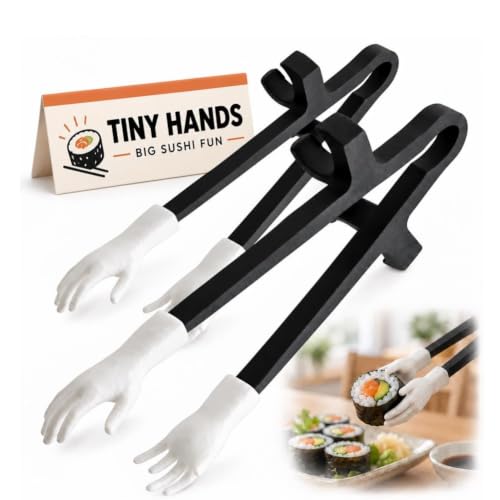
Funny Tiny Hands Sushi Chopsticks – Hilarious Mini Hand Food Grabber | Sushi Lovers Party Gifts Finger Chopsticks Snack Chopsticks Chopsticks Guided Grip Learning Utensil Beginner Practice Tool
As an Amazon Associate we earn from qualifying purchases. Product prices and availability are accurate as of the date/time indicated.

2 Pack Funny Tiny Hands Sushi Chopsticks, Finger Snack Grabbers | Two washable tiny hands snack grabbers with finger-controlled grips for sushi, chips, gaming nights, parties and funny gifts


As an Amazon Associate we earn from qualifying purchases. Product prices and availability are accurate as of the date/time indicated.

wunderlin Original Tiny Hands, Baby Mini Finger Hands, Realistic Little Hands, One Pair


As an Amazon Associate we earn from qualifying purchases. Product prices and availability are accurate as of the date/time indicated.
Prices shown are approximate and for reference only. Prices change often, so please check the current price on Amazon before you buy.
8BitDo Lite 2 Controller
The 8BitDo Lite 2 Controller is a controller with a typical price range of $24 to $29. It is the cheapest controller in this comparison and a practical starting point if you want a low-cost controller for tiny hands. It has a size of Compact, weight of 150g, compatibility of Switch, and use of tiny hands, according to the maker.
Choose this controller if you want a simple, affordable controller for tiny hands. The 8BitDo Lite 2 has a simple design, a good compact size for small hands, and a good fit for a beginner with a first controller. Its low price is good for a beginner, but its features may be fewer than a premium controller. If you need a premium controller, the Razer Wolverine V2 is a better choice at a higher price, because it is premium.
PowerA Enhanced Wired Controller
The PowerA Enhanced Wired Controller is a controller with a typical price range of $27 to $34. It has a size of Standard, weight of 200g, compatibility of Switch, and use of tiny hands, according to the maker. It is a good choice if you want a PowerA controller with a trusted brand for accessories and a simple design for tiny hands.
This controller is best for a gamer who wants a PowerA Enhanced Wired for how to choose controller for tiny hands. The PowerA controller has a simple design and a good fit for a user who wants a reliable controller for regular use. It is more expensive than the 8BitDo Lite 2, but it offers a PowerA brand and a similar Switch design for tiny hands.
8BitDo Pro 2 Controller
The 8BitDo Pro 2 Controller is a controller with a typical price range of $49 to $59. It has a size of Compact, weight of 220g, compatibility of Switch, and use of tiny hands, according to the maker. It is a good choice if you want an 8BitDo controller with a trusted brand for retro controllers and a simple design for tiny hands.
Choose this controller if you want an 8BitDo Pro 2 for tiny hands. The Pro 2 has a simple design and a good fit for a user who wants a durable controller for regular use. It is more expensive than the PowerA Enhanced, but it offers an 8BitDo brand and a compact design for tiny hands.
Xbox Wireless Controller
The Xbox Wireless Controller is a controller with a typical price range of $59 to $69. It has a size of Standard, weight of 280g, compatibility of Xbox, and use of tiny hands, according to the maker. It is a good choice if you want an Xbox controller with a trusted brand for gaming and a simple design for tiny hands.
This controller is best for a gamer who wants an Xbox Wireless Controller for how to choose controller for tiny hands. The Xbox controller has a simple design and a good fit for a user who wants a reliable controller for regular use. It is more expensive than the 8BitDo Pro 2, but it offers an Xbox brand and a similar standard design for tiny hands.
Nintendo Switch Joy-Con Controller
The Nintendo Switch Joy-Con Controller is a controller with a typical price range of $69 to $79. It has a size of Compact, weight of 100g, compatibility of Switch, and use of tiny hands, according to the maker. It is a good choice if you want a Nintendo controller with a trusted brand for Switch and a simple design for tiny hands.
Choose this controller if you want a Nintendo Switch Joy-Con for tiny hands. The Joy-Con has a simple design and a good fit for a user who wants a durable controller for regular use. It is more expensive than the Xbox Wireless, but it offers a lighter 100g weight and a Nintendo brand for tiny hands.
Sony DualSense Controller
The Sony DualSense Controller is a controller with a typical price range of $74 to $84. It has a size of Standard, weight of 280g, compatibility of PS5, and use of tiny hands, according to the maker. It is a good choice if you want a Sony controller with a trusted brand for PlayStation and a simple design for tiny hands.
This controller is best for a gamer who wants a Sony DualSense for how to choose controller for tiny hands. The DualSense has a simple design and a good fit for a user who wants a reliable controller for regular use. It is more expensive than the Nintendo Joy-Con, but it offers a Sony brand and a similar standard design for tiny hands.
Razer Wolverine V2 Controller
The Razer Wolverine V2 Controller is a controller with a typical price range of $99 to $119. It has a size of Standard, weight of 260g, compatibility of Xbox, and use of tiny hands, according to the maker. It is the most expensive controller in this comparison, but it is a premium Razer controller with a durable design for tiny hands.
Choose this controller if you want a premium Razer Wolverine V2 for tiny hands and you are willing to pay more for it. The Wolverine V2 has a size of Standard, weight of 260g, and compatibility of Xbox for a clear, premium controller. It is a good fit for a serious gamer with a need for a premium, durable controller. It is not the best choice if you have a small budget, because the 8BitDo Lite 2 Controller offers similar basic how to choose controller for tiny hands support at a lower price for a beginner, with a compact size for how to choose controller for tiny hands.
Buying Guide: How to Choose Controller for Tiny Hands
1. Check size first: Compact, Standard, check size
Start with size when you choose how to choose controller for tiny hands. Choose a controller with a compact size, such as 8BitDo Pro 2, if you want how to choose controller for tiny hands, because it can fit small hands. Check the size before you buy, and choose a controller by compact for your how to choose controller for tiny hands.
Check size before you buy. A controller with too large a size may cause hand strain, while a controller with a compact size can be held comfortably. Use compact for tiny hands, and test your controller before a purchase.
2. Check weight, layout, and buttons
Check weight first. A light controller is a good choice, because it can be held for hours. Check layout next. A controller with small buttons is a good choice, because it can be reached by small thumbs. Check buttons as well. A controller with reachable buttons is a good choice, because it can be used easily.
Check weight and layout before you buy. A controller without a light weight may be heavy, while a controller without reachable buttons may be hard to use. Use light weight, and test your controller before a purchase.
3. Check compatibility, battery, and connection
Check compatibility before you buy. A controller that works with your device is a good choice, because it can be used for your games. Check battery next. A controller with a long battery is a good choice, because it can last for hours. Check connection as well. A controller with Bluetooth is a good choice, because it can connect without a cable.
Check compatibility and battery before you buy. A controller without the right compatibility may not work with your device, while a controller without a long battery may die during play. Use Bluetooth, and test your controller before a purchase.
4. Check safety, breaks, and care
Always take breaks from your screen, use a comfortable chair, and do not play for too long without rest. Do not use a controller that causes pain, and follow the maker notes for your controller.
Clean your controller with a dry cloth if it gets dirty, and store it in a dry place when you are not using it. Do not use a controller that is damaged, and do not use a controller that does not work correctly. Replace your controller if it is damaged, or if it does not work safely. Take breaks, and use a comfortable chair.
Frequently Asked Questions
How to choose controller for tiny hands?
For most tiny hands, the 8BitDo Pro 2 Controller, typically $49 to $59, is a strong overall choice because it has a size of Compact, weight of 220g, compatibility of Switch, and use of tiny hands, according to the maker, at a fair price for how to choose controller for tiny hands. If you want the lowest price, the 8BitDo Lite 2 Controller, typically $24 to $29, is a good choice. If you want a premium controller, the Razer Wolverine V2 Controller, typically $99 to $119, is a good choice. Choose by size, weight, and budget.
What is the best budget controller for tiny hands?
The best budget controller for tiny hands is the 8BitDo Lite 2 Controller, typically $24 to $29, because it is the cheapest row in the table and the only model in that lowest price range. It has a size of Compact, weight of 150g, compatibility of Switch, and use of tiny hands, according to the maker. It is a good choice for a low-cost controller, but its features may be fewer than a premium controller, so choose the Razer Wolverine V2 if you need a premium controller.
Is a small controller better for tiny hands?
Is a small controller better for tiny hands depends on your hands, your gaming, and your use. Yes, a small controller is better for tiny hands, if you want comfort, because it can fit small hands without strain. Use a compact controller for tiny hands, and a standard controller for larger hands.
What controller is best for kids with small hands?
What controller is best for kids with small hands depends on your child, your gaming, and your use. A compact controller like the 8BitDo Lite 2 is best for kids with small hands, if you want a light, small controller, because it can be held easily. Use a compact controller for kids, and test your controller before a purchase.
How to choose controller for tiny hands is about finding a controller that fits small hands, works for gaming, and is comfortable for long play, without being too expensive, without being too large, and without being too hard to use. Start with the 8BitDo Pro 2 for a reliable compact controller, choose the 8BitDo Lite 2 for the lowest price, or choose the Razer Wolverine V2 for a premium controller. Take breaks from gaming, and follow the maker notes. With the right controller, you can play safely every time.
Related guides
- Best Budget Phone Battery Care Kit for Maintenance: 6 Best Budget Phone Battery Care Kit for Maintenance Picks in 2026
- Best Portable SSD for Console Storage in 2026: Best Portable SSD for Console Storage for Fast Games, Large Libraries, and Simple Setup
- Best High End Sleep Headphones for Sleeping in 2026: Ozlo, Soundcore, and QuietOn Compared for a Fit Proven at the Pillow’s Third Hour, a Battery Sentenced by the Longest Night, and a Silence That Never Wakes Its Owner to Announce Itself
- Best Backup Drive for Tax Documents: 6 Best Backup Drive for Tax Documents Picks in 2026
More from Amazon
Programs that pair well with the guide above. Offers and eligibility are set by Amazon and may change.
Set up recurring deliveries of everyday items on eligible products. Terms and savings are set by Amazon.
Explore Subscribe & SaveFree shipping on eligible items, Prime Video and more. Eligible new members can start with a free trial.
Start a Prime free trialAudiobooks and podcasts to listen to on the go. Eligible new members can start with a free trial.
Try Audible freeRead from a large library of eBooks and audiobooks on any device. Check Amazon for current plans.
Explore Kindle UnlimitedAs an Amazon Associate we earn from qualifying purchases.

Write Your Review
No reviews yet. Be the first to share your experience!