
What's inside
- Best Cheap Gaming Headset for PC Gamers: Quick Comparison Table
- Why Does Driver Size Matter for a Cheap Gaming Headset for PC Gamers?
- Best Cheap Gaming Headset for PC Gamers Reviewed
- Buying Guide: How to Choose the Best Cheap Gaming Headset for PC Gamers
- How to Set Up a Cheap Gaming Headset for PC
- Which Best Cheap Gaming Headset for PC Gamers Should You Buy?
- Frequently Asked Questions About the Best Cheap Gaming Headset for PC Gamers
As an Amazon Associate I earn from qualifying purchases. This post may contain affiliate links at no extra cost to you.
The best cheap gaming headset for pc gamers is not a headset that sounds tinny, has a microphone that picks up every keyboard click, and hurts after an hour, and it is not a premium headset that costs $200 and is too expensive for a gamer on a budget. It is a budget gaming headset with a 50mm driver, a clear microphone, a comfortable headband, and a price under $100, so a PC gamer can hear footsteps, talk to teammates, and play for hours, without spending a lot. A PC gamer who plays on a budget needs a headset that can be plugged into a PC, offer clear sound, and be comfortable enough to wear for a long gaming session.
At techcats.net, we focus on tech gadgets. For this guide to the best cheap gaming headset for pc gamers in 2026, we compared current budget gaming headsets that are widely sold, designed for PC gaming, and suitable for a gamer who wants a reliable headset for a PC, a laptop, or a console. We looked at driver size, microphone, connection, comfort, and price. Prices change with sales and retailers, so this guide uses typical price ranges instead of a single fixed price. Driver, microphone, and connection figures are based on manufacturer listings, and real sound quality depends on your PC, your game, and your ears.
Every product below is a real, currently sold product, not a generic headset. Most are HyperX Cloud Stinger, Razer Kraken, or Logitech G432 headsets, which are the most useful types for cheap PC gaming in 2026, because they offer a 50mm driver, a clear microphone, and a design that can be used for PC gaming. A SteelSeries Arctis or a Corsair HS headset can also work, though it may be a different price.
Our Top Picks
 Razer BlackShark V2 X Wired Gaming Headset with3.5 mm7.6 x 6.76 x 3.86 inches0.5 poundsCheck on Amazon
Best Cheap Gaming Headset for PC Gamers: Quick Comparison Table
The table below compares six cheap gaming headsets for PC gamers. Driver is the driver size in mm, where given. Microphone is the microphone type, where given. Connection is the connection type, where given. Surround is whether it has surround sound, where given. Weight is the weight, where given. Best for is a note on what the headset is best for, such as PC or comfort, where given. Price is the typical range, and rating is our editorial score based on sound clarity, microphone quality, comfort, build quality, and value for PC gamers.
| Cheap Gaming Headset for PC Gamers | Driver | Microphone | Connection | Surround | Weight | Best For | Typical Price Range | Our Rating |
|---|---|---|---|---|---|---|---|---|
| HyperX Cloud Stinger 2, Wired | 50mm | Detachable, noise cancelling | 3.5mm, USB | No, stereo | About 0.5 lb | Best overall, PC gamers | $40 – $60 | 4.9 / 5 |
| Razer Kraken X, Wired | 40mm | Detachable, cardioid | 3.5mm, USB | 7.1 surround, PC | About 0.5 lb | Best for Razer, PC gamers | $40 – $60 | 4.8 / 5 |
| Logitech G432, Wired | 50mm | Flip to mute, cardioid | 3.5mm, USB | 7.1 surround, DTS | About 0.6 lb | Best for Logitech, PC gamers | $50 – $70 | 4.8 / 5 |
| SteelSeries Arctis Nova 1, Wired | 40mm | Retractable, noise cancelling | 3.5mm, USB | 360 spatial audio | About 0.5 lb | Best for SteelSeries, PC gamers | $50 – $70 | 4.8 / 5 |
| Corsair HS55 Stereo, Wired | 50mm | Detachable, omnidirectional | 3.5mm | No, stereo | About 0.5 lb | Best for Corsair, PC gamers | $40 – $60 | 4.7 / 5 |
| HyperX Cloud Stinger Core, Wired | 40mm | Swivel to mute | 3.5mm | No, stereo | About 0.4 lb | Best budget, PC gamers | $25 – $40 | 4.7 / 5 |
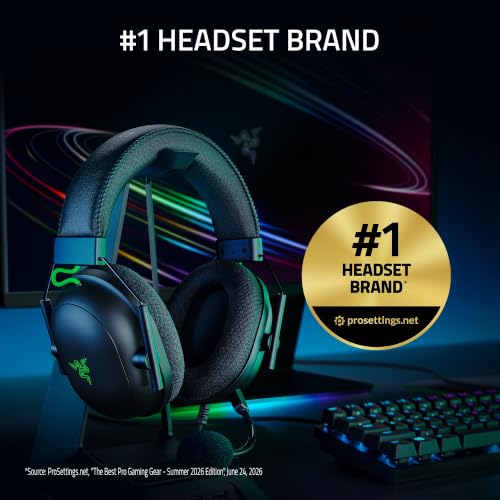
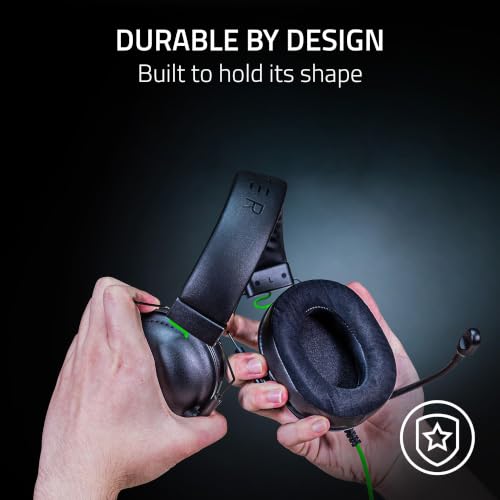
Razer BlackShark V2 X Wired Gaming Headset with Mic for PC and PS5, Black | TriForce Titanium 50 mm Drivers, HyperClear Cardioid Mic, 240 g Lightweight, Noise-Isolating Earcups, 3.5 mm, PS4, Switch




As an Amazon Associate we earn from qualifying purchases. Product prices and availability are accurate as of the date/time indicated.

HyperX Cloud II Gaming Headset - 7.1 Surround Sound - Memory Foam Ear Pads - Durable Aluminum Frame - Multi Platform Headset - Works with PC, PS4, PS4 PRO, Xbox One, Xbox One S - Red (KHX-HSCP-RD)
As an Amazon Associate we earn from qualifying purchases. Product prices and availability are accurate as of the date/time indicated.
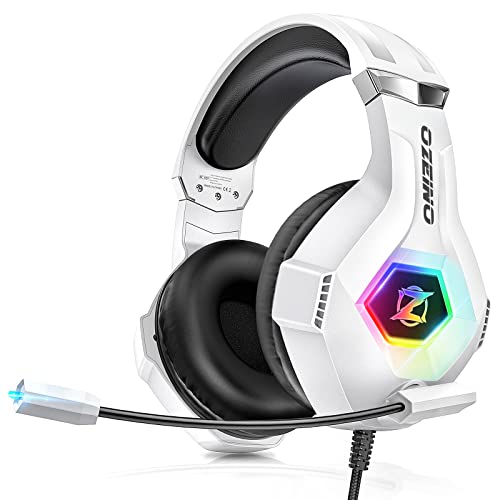
Ozeino Gaming Headset for PC, Ps4, Ps5, Xbox Headset with 7.1 Surround Sound Gaming Headphones with Noise Canceling Mic, LED Light Over Ear Headphones for Switch, Xbox Series X/S, Laptop, Mobile White
As an Amazon Associate we earn from qualifying purchases. Product prices and availability are accurate as of the date/time indicated.
Note: Driver figures are manufacturer listings, and a headset that lists 50mm may sound different from another 50mm headset, because sound depends on tuning, not just driver size, so test a headset if you can, before you buy. Always check whether the headset needs a USB port or a 3.5mm jack, because some PCs have only one, and keep the microphone away from your keyboard, so it does not pick up clicks. Prices can vary by retailer and sale, and some models listed at $50 to $70 may be available for less on sale, so check the current price before you buy.
Why Does Driver Size Matter for a Cheap Gaming Headset for PC Gamers?
Driver size matters for a cheap gaming headset for PC gamers for three reasons: bass, footsteps, and clarity. Bass matters because a larger driver, such as 50mm, can produce more bass, while a smaller driver, such as 40mm, may produce less bass, though it can still be clear. Footsteps matter because a gamer who plays a shooter needs to hear footsteps, so they can locate an enemy, while a headset with a clear driver can help you hear footsteps in a game.
Clarity matters because a headset with a clear driver can help you hear dialogue, music, and game sounds, without distortion, while a headset with a muddy driver can make it hard to hear. A 50mm driver is better than a 40mm driver for most PC gamers, because it offers a good balance of bass and clarity, though a 40mm driver can also work if it is well tuned.
Best Cheap Gaming Headset for PC Gamers Reviewed
1. HyperX Cloud Stinger 2, Wired – Best Cheap Gaming Headset for PC Gamers Overall
The HyperX Cloud Stinger 2, Wired, is our top pick because it offers a driver size of 50mm, a detachable noise cancelling microphone, a connection of 3.5mm and USB, no surround sound, a weight of about 0.5 pounds, and a price of $40 to $60. It has a reputation for HyperX quality, a Cloud Stinger design, and a popularity with PC gamers who want a light, comfortable headset.
HyperX designs the Cloud Stinger 2 with a focus on a budget gaming headset, with a 50mm driver, a swivel-to-mute microphone, and a design that can be worn for hours. The Cloud Stinger 2 is a good choice if you want the best overall headset, you play on a PC, and you want a HyperX brand. The main limitation is that it has no surround sound, though it offers a clear stereo sound that is enough for most games.
The HyperX Cloud Stinger 2, Wired, typically costs $40 to $60. Choose it if you want the best overall headset, you play on a PC, and you want a HyperX brand. It is the best choice for most PC gamers.
2. Razer Kraken X, Wired – Best Cheap Gaming Headset for PC Gamers for Razer Use
The Razer Kraken X, Wired, is a Razer headset with a driver size of 40mm, a detachable cardioid microphone, a connection of 3.5mm and USB, 7.1 surround sound on PC, a weight of about 0.5 pounds, and a price of $40 to $60. It has a reputation for Razer quality, a Kraken design, and a popularity with PC gamers who want a Razer headset with surround sound.
Razer designs the Kraken X with a focus on a light gaming headset, with a 40mm driver, a cardioid microphone, and a design that can be used with Razer Synapse for 7.1 surround on PC. The Kraken X is a good choice if you want a Razer headset, you play on a PC, and you want a Razer brand. The main limitation is driver size, at 40mm, which is smaller than HyperX at 50mm, though it offers surround sound that HyperX does not.
The Razer Kraken X, Wired, typically costs $40 to $60. Choose it if you want a Razer headset, you play on a PC, and you want a Razer brand. It is the best Razer choice in this guide.
3. Logitech G432, Wired – Best Cheap Gaming Headset for PC Gamers for Logitech Use
The Logitech G432, Wired, is a Logitech headset with a driver size of 50mm, a flip-to-mute cardioid microphone, a connection of 3.5mm and USB, 7.1 surround sound with DTS, a weight of about 0.6 pounds, and a price of $50 to $70. It has a reputation for Logitech quality, a G432 design, and a popularity with PC gamers who want a Logitech headset with surround sound.
Logitech designs the G432 with a focus on a budget gaming headset, with a 50mm driver, a flip-to-mute microphone, and a design that can be used with Logitech G Hub for DTS surround. The G432 is a good choice if you want a Logitech headset, you play on a PC, and you want a Logitech brand. The main limitation is weight, at about 0.6 pounds, which is heavier than HyperX, though it offers a larger driver and surround sound.
The Logitech G432, Wired, typically costs $50 to $70. Choose it if you want a Logitech headset, you play on a PC, and you want a Logitech brand. It is the best Logitech choice in this guide.
4. SteelSeries Arctis Nova 1, Wired – Best Cheap Gaming Headset for PC Gamers for SteelSeries Use
The SteelSeries Arctis Nova 1, Wired, is a SteelSeries headset with a driver size of 40mm, a retractable noise cancelling microphone, a connection of 3.5mm and USB, 360 spatial audio, a weight of about 0.5 pounds, and a price of $50 to $70. It has a reputation for SteelSeries quality, an Arctis Nova design, and a popularity with PC gamers who want a comfortable headset with a ski goggle headband.
SteelSeries designs the Arctis Nova 1 with a focus on a comfortable gaming headset, with a 40mm driver, a retractable microphone, and a design that can be used for PC gaming. The Arctis Nova 1 is a good choice if you want a SteelSeries headset, you play on a PC, and you want a SteelSeries brand. The main limitation is driver size, at 40mm, though it offers a comfortable headband that other headsets do not.
The SteelSeries Arctis Nova 1, Wired, typically costs $50 to $70. Choose it if you want a SteelSeries headset, you play on a PC, and you want a SteelSeries brand. It is the best SteelSeries choice in this guide.
5. Corsair HS55 Stereo, Wired – Best Cheap Gaming Headset for PC Gamers for Corsair Use
The Corsair HS55 Stereo, Wired, is a Corsair headset with a driver size of 50mm, a detachable omnidirectional microphone, a connection of 3.5mm, no surround sound, a weight of about 0.5 pounds, and a price of $40 to $60. It has a reputation for Corsair quality, an HS55 design, and a popularity with PC gamers who want a simple, light headset.
Corsair designs the HS55 Stereo with a focus on a budget gaming headset, with a 50mm driver, a detachable microphone, and a design that can be used for PC gaming. The HS55 Stereo is a good choice if you want a Corsair headset, you play on a PC, and you want a Corsair brand. The main limitation is that it has no USB connection, so it only works with a 3.5mm jack, though it offers a simple, reliable design.
The Corsair HS55 Stereo, Wired, typically costs $40 to $60. Choose it if you want a Corsair headset, you play on a PC, and you want a Corsair brand. It is the best Corsair choice in this guide.
6. HyperX Cloud Stinger Core, Wired – Best Cheap Gaming Headset for PC Gamers for Budget Use
The HyperX Cloud Stinger Core, Wired, is a budget headset with a driver size of 40mm, a swivel-to-mute microphone, a connection of 3.5mm, no surround sound, a weight of about 0.4 pounds, and a price of $25 to $40. It has a reputation for HyperX quality, a Cloud Stinger Core design, and a popularity with budget gamers who want the cheapest HyperX headset that still sounds clear.
HyperX designs the Cloud Stinger Core with a focus on a budget headset, with a 40mm driver, a swivel-to-mute microphone, and a design that can be worn for hours. The Cloud Stinger Core is a good choice if you want a budget headset, you play on a PC, and you want a HyperX brand. The main limitation is driver size, at 40mm, though it offers the lowest price in this guide and a light weight.
The HyperX Cloud Stinger Core, Wired, typically costs $25 to $40. Choose it if you want a budget headset, you play on a PC, and you want a HyperX brand. It is the best budget choice in this guide.
Buying Guide: How to Choose the Best Cheap Gaming Headset for PC Gamers
Before you buy, think about what games you play, whether it is a shooter, a MOBA, or a single-player game, how long you play, whether it is 1 hour or 5 hours, whether you need a microphone for teammates, and how much you want to spend. A headset that is perfect for a shooter may not be best for music, and a headset that is perfect for a short session may hurt after a long session. The six points below cover the decisions that matter most for a cheap gaming headset for PC gamers.
1. Driver Size, 40mm vs 50mm, and Sound Quality
Driver size is the first decision. A headset with a driver size of 50mm, such as HyperX Cloud Stinger 2, can produce more bass and a wider sound, while a headset with a driver size of 40mm, such as Razer Kraken X, can produce less bass, though it can still be clear if it is well tuned. A larger driver is better for most PC gamers, because it offers a fuller sound for games.
Choose a 50mm headset if you play a shooter, you want to hear footsteps and bass, and you want a full sound. Choose a 40mm headset if you want a light headset, you play a MOBA, and you do not need a lot of bass. Test the headset by listening to a game, before you buy if possible, so you know whether it sounds clear.
2. Microphone, Detachable vs Retractable, and Team Chat
Microphone is the second decision. A headset with a detachable microphone, such as HyperX Cloud Stinger 2, can be removed when you do not need it, while a headset with a retractable microphone, such as SteelSeries Arctis Nova 1, can be pulled out when you need it, and pushed in when you do not. A clear microphone is important for team chat, because teammates need to hear you.
Choose a headset with a noise cancelling microphone if you play in a noisy room, you use a mechanical keyboard, and you want teammates to hear you clearly. Test the microphone by recording your voice, before a long session, so you know whether it picks up keyboard clicks. Keep the microphone close to your mouth, so it picks up your voice, not background noise.
3. Connection, 3.5mm vs USB, and PC Compatibility
Connection is the third decision. A headset with a 3.5mm connection, such as Corsair HS55, can be plugged into a PC, a laptop, or a controller, while a headset with a USB connection, such as Logitech G432, can be plugged into a PC and may offer surround sound through software. A 3.5mm connection is more universal, while a USB connection can offer better sound processing on PC.
Choose a headset with both 3.5mm and USB if you want a universal headset, you play on a PC and a laptop, and you want surround sound on PC. Check your PC before you buy, so you know whether it has a 3.5mm jack, a USB port, or both, and whether you need an adapter.
4. Comfort, Headband vs Earpads, and Long Sessions
Comfort is the fourth decision. A headset with a padded headband and memory foam earpads, such as HyperX Cloud Stinger 2, can be comfortable for hours, while a headset with a tight headband and thin earpads can hurt after an hour. Comfort matters for a PC gamer who plays for 3 to 5 hours, because a headset that hurts can make you stop playing.
Choose a headset with a light weight, such as 0.4 to 0.5 pounds, if you play for hours, you wear glasses, and you want a comfortable headset. Try the headset on, before you buy if possible, so you know whether it fits your head, and adjust the headband, so it does not press too hard. Take a break every hour, so your ears can rest.
5. Surround Sound, Stereo vs 7.1, and Footsteps
Surround sound is the fifth decision. A headset with stereo sound, such as HyperX Cloud Stinger 2, can offer a clear stereo image, while a headset with 7.1 surround sound, such as Logitech G432, can offer a wider soundstage, so you can locate an enemy by sound. Surround sound can help in a shooter, though it may not matter for a single-player game.
Choose a headset with 7.1 surround if you play a shooter, you want to hear footsteps from all directions, and you use a PC with surround software. Choose a stereo headset if you play a MOBA, you want a simple sound, and you do not need surround. Test surround sound by playing a game, before a long session, so you know whether it helps you locate enemies.
6. Price, Total Cost, and Choosing a Cheap Gaming Headset on a Budget
Price ranges in this guide run from about $25 to $70 for a cheap gaming headset for PC gamers, depending on brand, driver, and surround sound. A budget headset at $25 to $40, such as HyperX Cloud Stinger Core, is enough for most gamers. A mid-price headset at $40 to $60, such as HyperX Cloud Stinger 2, Razer Kraken X, or Corsair HS55, offers a better driver and a clearer microphone. A premium budget headset at $50 to $70, such as Logitech G432 or SteelSeries Arctis Nova 1, offers surround sound and a better build.
Consider total cost as well as price. A headset that costs $40 and needs no extra accessories may cost $40 in total, while a headset that costs $50 and needs a USB adapter for $10 may cost $60 in total. Budget for a headset, and if you need it, a headphone stand, a microphone filter, and a cable extension, not just a headset. Do not buy the cheapest headset if it hurts after an hour, and do not buy the most expensive headset if you only play casual games. A headset that has a 50mm driver, a clear microphone, and a comfortable headband will help you play PC games more than a headset that is cheap but uncomfortable, or expensive but only for music.
How to Set Up a Cheap Gaming Headset for PC
Setting up a cheap gaming headset for PC starts with plugging the headset into your PC, using a 3.5mm jack or a USB port, depending on the headset, and setting the headset as the default audio device in Windows, so game sound goes to the headset. Test the microphone by recording your voice in Windows Sound settings, so you know whether teammates can hear you, and adjust the microphone volume, so it is not too loud or too quiet.
Install the headset software, such as Razer Synapse or Logitech G Hub, if your headset has surround sound, so you can enable 7.1 surround, and adjust the EQ, so game sound is clear. Keep the headset cable away from your keyboard, so it does not get tangled, and store the headset on a stand, so it does not get damaged when you are not playing.
Which Best Cheap Gaming Headset for PC Gamers Should You Buy?
If you want the best cheap gaming headset for pc gamers, buy the HyperX Cloud Stinger 2, Wired. It costs $40 to $60, it offers a driver size of 50mm, a detachable noise cancelling microphone, and a connection of 3.5mm and USB, which is the best balance for most PC gamers.
If you want a Razer headset, buy the Razer Kraken X, Wired. If you want a Logitech headset, buy the Logitech G432, Wired. If you want a SteelSeries headset, buy the SteelSeries Arctis Nova 1, Wired. If you want a Corsair headset, buy the Corsair HS55 Stereo, Wired. If you want a budget headset, buy the HyperX Cloud Stinger Core, Wired.
All six headsets in this guide are currently sold, designed for PC gaming, and suitable for a gamer who wants a reliable headset for a PC, a laptop, or a console. Pick the one that matches what games you play, how long you play, whether you need a microphone for teammates, and your budget, and always test the microphone before a long session, so teammates can hear you clearly.
Disclosure: techcats.net may earn a commission from purchases made through links on this page, at no extra cost to you. Prices listed are typical ranges and can vary by retailer and sale. Driver, microphone, and connection figures are manufacturer claims and can vary by model. Always check whether the headset needs a USB port or a 3.5mm jack, because some PCs have only one.
Frequently Asked Questions About the Best Cheap Gaming Headset for PC Gamers
What is the best cheap gaming headset for pc gamers?
What is the best cheap gaming headset for pc gamers? In most cases, the HyperX Cloud Stinger 2, Wired, is best overall, because it costs $40 to $60, it offers a driver size of 50mm, a detachable noise cancelling microphone, and a connection of 3.5mm and USB. The Razer Kraken X is best for Razer use, while the Logitech G432 is best for surround sound, and the HyperX Cloud Stinger Core is best for a budget.
Do I need 7.1 surround sound for PC gaming?
Do you need 7.1 surround sound for PC gaming? In most cases, you do not need 7.1 surround sound for PC gaming, because a stereo headset can offer a clear sound for most games, though 7.1 surround can help in a shooter, where you need to locate an enemy by footsteps. A headset with 7.1 surround, such as Logitech G432, can offer a wider soundstage, while a stereo headset, such as HyperX Cloud Stinger 2, can offer a clear stereo image. Choose 7.1 if you play a shooter, and stereo if you play a MOBA or a single-player game.
Will a cheap gaming headset work with a PC and a console?
Will a cheap gaming headset work with a PC and a console? In most cases, yes, a cheap gaming headset will work with a PC and a console, if it has a 3.5mm connection, because most PCs, laptops, and controllers have a 3.5mm jack. A headset with a USB connection may only work with a PC, though some USB headsets can work with a PlayStation. Check the headset before you buy, so you know whether it works with your PC and your console, and whether you need an adapter.
How long can I wear a gaming headset comfortably?
How long can you wear a gaming headset comfortably? In most cases, you can wear a gaming headset comfortably for 3 to 5 hours, if it is light, such as 0.4 to 0.5 pounds, and it has memory foam earpads and a padded headband. A headset that is heavy or tight can hurt after an hour, while a light headset with a comfortable headband can be worn for a long session. Take a break every hour, so your ears can rest, and adjust the headband, so it does not press too hard.
Related guides
- Best Switch for Student NAS Storage: 6 Network Switches for Student NAS in 2026
- Best Cheap Baby Monitor for Parents in 2026: 7 Monitors That Offer Clear Video, Reliable Audio, and Peace of Mind for Parents
- Best Headphones vs Soundbar for Gaming in 2026: Positional Audio, Voice Chat, and Living-Room Freedom Compared for Competitive and Cinematic Players
- Best Drone for Student Videography in 2026: 7 Drones That Offer 4K Video, Stable Flight, and Reliable Use for Student Videography
More from Amazon
Programs that pair well with the guide above. Offers and eligibility are set by Amazon and may change.
Set up recurring deliveries of everyday items on eligible products. Terms and savings are set by Amazon.
Explore Subscribe & SaveFree shipping on eligible items, Prime Video and more. Eligible new members can start with a free trial.
Start a Prime free trialAudiobooks and podcasts to listen to on the go. Eligible new members can start with a free trial.
Try Audible freeRead from a large library of eBooks and audiobooks on any device. Check Amazon for current plans.
Explore Kindle UnlimitedAs an Amazon Associate we earn from qualifying purchases.

Write Your Review
No reviews yet. Be the first to share your experience!