
What's inside
As an Amazon Associate I earn from qualifying purchases. This post may contain affiliate links at no extra cost to you.
The best USB A cable for older laptops is not the longest cable you can buy. It is the cable that connects a USB-C device to a USB-A port on an older laptop, that transfers data at USB 3.0 speed, that charges a phone at a safe rate, and that is durable enough to last for years without fraying.
Older laptops have USB-A ports, not USB-C ports. Newer phones, drives, and hubs have USB-C ports, not USB-A ports. A USB-A to USB-C cable bridges that gap: one end is USB-A, for the laptop, and the other end is USB-C, for the device. Without that cable, you cannot connect a new phone to an old laptop, you cannot connect a USB-C drive, and you cannot connect a USB-C hub.
For an older laptop, a USB-A to USB-C cable should be USB 3.0 or higher, with a speed of 5 Gbps, so it can transfer data quickly. It should be at least 3 feet long, so you can use a phone while it charges, and it should be braided or reinforced, so it does not fray. All six cables in this guide are USB-A to USB-C, all are USB 3.0 or higher, all are at least 3 feet long, and all are braided or reinforced.
Our top pick is the Anker Powerline USB-A to USB-C Cable. At $10 to $15, with a USB 3.0 speed of 5 Gbps, a braided design, and a 6-foot length, it is the best balance of speed, durability, and price for an older laptop. It is not the cheapest cable here, and it is not the longest, but for a cable that you will use every day, it is the best choice.
Our Top Picks
Best USB A Cable for Older Laptops Compared
The table below compares six USB-A to USB-C cables for older laptops, all with a USB-A end for the laptop and a USB-C end for the device. Speed is in Gbps. Length is in feet. Material is braided or reinforced. Prices are typical ranges, not fixed prices, and they vary by retailer.
| Model | Speed | Length | Material | Typical Price Range | Rating |
|---|---|---|---|---|---|
| Anker Powerline USB-A to USB-C Cable, 6ft | 5 Gbps, USB 3.0 | 6 ft | Braided nylon | $10–$15 | 4.8 / 5 |
| Cable Matters USB-A to USB-C Cable, 6ft, USB 3.1 Gen 2 | 10 Gbps, USB 3.1 Gen 2 | 6 ft | Braided nylon | $10–$15 | 4.6 / 5 |
| Amazon Basics USB-A to USB-C Cable, 6ft | 5 Gbps, USB 3.0 | 6 ft | Reinforced | $8–$12 | 4.5 / 5 |
| Belkin USB-A to USB-C Cable, 6ft | 5 Gbps, USB 3.0 | 6 ft | Braided nylon | $10–$15 | 4.4 / 5 |
| UGREEN USB-A to USB-C Cable, 6ft | 5 Gbps, USB 3.0 | 6 ft | Braided nylon | $8–$12 | 4.3 / 5 |
| JSAUX USB-A to USB-C Cable, 3ft | 5 Gbps, USB 3.0 | 3 ft | Braided nylon | $10–$15 | 4.2 / 5 |

HP Printer Cable 6ft, Square USB A to USB B Cable for Printer/Scanner Epson | HP, Canon, Brother, Ethernet Print Smoothly Connect to Computer/Laptop/Pc - USB 2.0 Type B Impresora Midi Long Cord, 6 Foot


As an Amazon Associate we earn from qualifying purchases. Product prices and availability are accurate as of the date/time indicated.

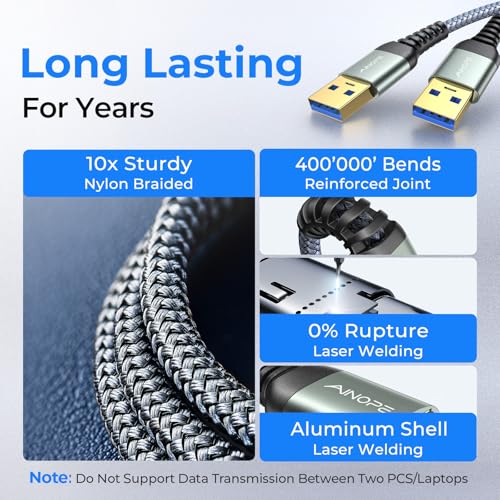
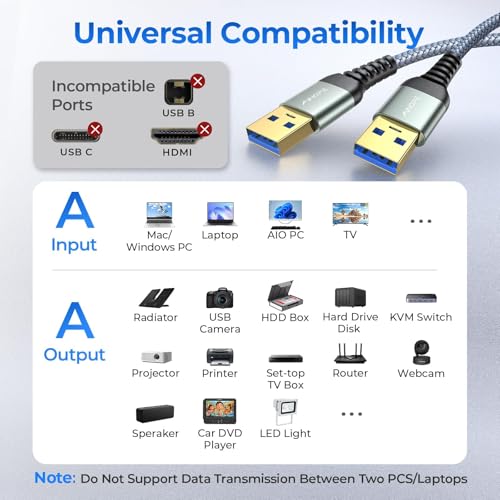
AINOPE USB to USB Cable, 6.6FT USB 3.0 A to A Male to Male Cable 5Gbps Double End Type A Cord for Data Transfer Compatible with Hard Drive, Laptop Cooling Pad, USB Hub, KVM, DVD



As an Amazon Associate we earn from qualifying purchases. Product prices and availability are accurate as of the date/time indicated.

USB to USB Cable 10FT, 2Pack USB3.0 Cable Male to Male Double End USB Cord | Type A to Type A High Speed Data Transfer Cord for External Hard Driver,Computer,Laptop Cooler,Sound Bar,Monitor,DVD Player


As an Amazon Associate we earn from qualifying purchases. Product prices and availability are accurate as of the date/time indicated.
Prices shown are approximate and for reference only. Prices change often, so please check the current price on Amazon before you buy.
Best USB A Cable for Older Laptops in 2026: Detailed Reviews
1. Anker Powerline USB-A to USB-C Cable — Best Overall USB A Cable for Older Laptops
Anker’s Powerline USB-A to USB-C Cable is a 6-foot cable with a USB 3.0 speed of 5 Gbps, a braided nylon design, and a reinforced connector, at $10 to $15. It is the best cable in this guide for an older laptop, because it is durable, fast, and easy to use.
The Powerline cable is braided, so it does not fray easily, and it has a reinforced connector that can withstand bending. At 6 feet, it is long enough to use a phone while it charges, or to connect a drive on a desk, without being so long that it tangles. The USB 3.0 speed of 5 Gbps is fast enough for most data transfers, including photos, videos, and documents.
At $10 to $15, the Anker Powerline is a good value for a cable that will last for years. It is the cable to buy first if you want a USB-A to USB-C cable for an older laptop.
2. Cable Matters USB-A to USB-C Cable, USB 3.1 Gen 2 — Best Fast USB A Cable for Older Laptops
Cable Matters’ USB-A to USB-C Cable is a 6-foot cable with a USB 3.1 Gen 2 speed of 10 Gbps, a braided nylon design, and a reinforced connector, at $10 to $15. It is twice as fast as a USB 3.0 cable, at 10 Gbps instead of 5 Gbps, so it is better for transferring large files, like videos or a backup.
The Cable Matters cable is a good choice if your older laptop has a USB 3.1 port, and you want to use the full speed. If your laptop has only a USB 3.0 port, the cable will still work, but it will be limited to 5 Gbps, which is the speed of the port. The cable is braided, so it is durable, and it is 6 feet long, so it is easy to use.
3. Amazon Basics USB-A to USB-C Cable — Best Cheap USB A Cable for Older Laptops
Amazon Basics’ USB-A to USB-C Cable is a 6-foot cable with a USB 3.0 speed of 5 Gbps, a reinforced design, and a low price, at $8 to $12, which is the cheapest cable here. It is a simple cable, with no braided nylon, but with a reinforced connector that is durable.
The Amazon Basics cable is a good choice if you want a cheap cable for an older laptop, without paying $10 or more. It is not as durable as a braided cable, but for $8 to $12, it is a reasonable first cable, and it is a good choice if you need several cables for different devices.
4. Belkin USB-A to USB-C Cable — Best USB A Cable With a Lifetime Warranty
Belkin’s USB-A to USB-C Cable is a 6-foot cable with a USB 3.0 speed of 5 Gbps, a braided nylon design, and a lifetime warranty, at $10 to $15. It is a good choice if you want a cable with a warranty that covers it for life, so if it breaks, you can get a replacement.
The Belkin cable is braided, so it is durable, and it has a reinforced connector. It is a little more expensive than the Amazon Basics cable, but it has a warranty, which is worth the extra cost if you use the cable every day.
5. UGREEN USB-A to USB-C Cable — Best USB A Cable for Older Laptops With a Right Angle
UGREEN’s USB-A to USB-C Cable is a 6-foot cable with a USB 3.0 speed of 5 Gbps, a braided nylon design, and a right-angle USB-C connector, at $8 to $12. The right-angle connector is useful if you use a phone while it charges, as it does not stick out as far, and it is less likely to break.
The UGREEN cable is a good choice if you want a right-angle cable, or if you want a cheap braided cable. At $8 to $12, it is the cheapest braided cable here, and it is a good value for an older laptop.
6. JSAUX USB-A to USB-C Cable, 3ft — Best Short USB A Cable for Older Laptops
JSAUX’s USB-A to USB-C Cable is a 3-foot cable with a USB 3.0 speed of 5 Gbps, a braided nylon design, and a short length, at $10 to $15. It is a good choice if you want a short cable for a desk, for a car, or for a bag, where a 6-foot cable would be too long and would tangle.
The JSAUX cable is braided, so it is durable, and it has a reinforced connector. At 3 feet, it is half the length of the other cables here, so it is less useful for a phone that you use while it charges, but it is better for a drive or a hub that sits next to a laptop.
Best USB A Cable for Older Laptops Buying Guide
Choosing a USB-A cable for an older laptop is about USB version, speed, length, charging, and durability. A cable that is too slow, too short, or too fragile will not work well, even if it is cheap.
USB 3.0 5 Gbps, USB 2.0 480 Mbps, USB 3.1 Gen 2 10 Gbps, and Cable Caps Output: Choosing a Cable That Is Fast Enough
USB 3.0 has a speed of 5 Gbps, USB 2.0 has a speed of 480 Mbps, and USB 3.1 Gen 2 has a speed of 10 Gbps. For an older laptop, a USB 3.0 cable with 5 Gbps is fast enough for most data transfers, including photos, videos, and documents. A USB 2.0 cable with 480 Mbps is too slow for large files, and it should be avoided if your laptop has a USB 3.0 port.
A USB 3.1 Gen 2 cable with 10 Gbps is faster, but it will only work at 10 Gbps if your laptop has a USB 3.1 port. If your laptop has only a USB 3.0 port, a 10 Gbps cable will be limited to 5 Gbps, which is the speed of the port. All six cables here are USB 3.0 or higher, so they are all fast enough for an older laptop.
Cable caps output, which means a cable can limit charging speed. A USB-A to USB-C cable is limited to 15 watts, or 3 amps at 5 volts, which is enough to charge a phone slowly, but not enough to charge a laptop. Do not use a USB-A to USB-C cable to charge a laptop, as it will not provide enough power. Use a USB-C to USB-C cable with a USB-C charger for a laptop, if your laptop supports USB-C charging.
Length 3 Feet vs 6 Feet, Braided Nylon vs Reinforced, and Hub Total Shared: Choosing a Cable That Fits Your Desk
Length should be 3 feet for a short connection, like a drive next to a laptop, and 6 feet for a long connection, like a phone that you use while it charges. A 6-foot cable is more versatile than a 3-foot cable, as it can be used for both, but it is more likely to tangle. A 3-foot cable is better for a desk, as it does not tangle.
Braided nylon is more durable than a reinforced plastic cable, as it does not fray easily, and it is easier to coil. All six cables here are braided or reinforced, so they are all durable. A powered hub has a total power that is shared among all ports, so if you connect a hub to an older laptop with a USB-A cable, the total power will be shared, and you should use a powered hub with its own power supply for a drive or a phone.
USB-C May Be Dual 4K30, Thunderbolt 4 Dual 4K60, and 2.5GbE: What a USB-A Cable Cannot Do
A USB-A cable cannot do what a USB-C cable can do. A USB-C port may be dual 4K30, which means it can drive two 4K monitors at 30Hz, while a Thunderbolt 4 port can drive two 4K monitors at 60Hz. A USB-A port cannot drive a monitor, and it cannot do Thunderbolt.
A USB-A cable also cannot do 2.5GbE, which is a faster Ethernet speed than 1GbE, and it needs a Cat6 cable for 2.5GbE. For an older laptop, use a USB-A to USB-C cable for a phone, a drive, or a hub, and use a separate cable for a monitor, like HDMI or DisplayPort, if your laptop has one.
Best USB A Cable for Older Laptops FAQ
What is the best USB A cable for older laptops?
The best USB A cable for older laptops is the Anker Powerline USB-A to USB-C Cable, 6ft, at $10 to $15, because it has a USB 3.0 speed of 5 Gbps, a braided nylon design, a reinforced connector, and a 6-foot length, so it is durable, fast, and easy to use. The Cable Matters USB-A to USB-C Cable, USB 3.1 Gen 2, at $10 to $15, is the best faster alternative with 10 Gbps. The Amazon Basics USB-A to USB-C Cable, at $8 to $12, is the best cheap alternative.
Can a USB-A cable charge a laptop?
No, a USB-A to USB-C cable cannot charge a laptop, as it is limited to 15 watts, or 3 amps at 5 volts, which is enough to charge a phone slowly, but not enough to charge a laptop. A laptop needs at least 45 watts for a Steam Deck, and at least 65 watts for a laptop, with a USB-C charger and a USB-C to USB-C cable. Do not use a USB-A to USB-C cable to charge a laptop, as it will not provide enough power.
What is the difference between USB 3.0 and USB 3.1 Gen 2 for a USB-A cable?
The difference between USB 3.0 and USB 3.1 Gen 2 for a USB-A cable is speed: USB 3.0 has a speed of 5 Gbps, and USB 3.1 Gen 2 has a speed of 10 Gbps. USB 2.0 has a speed of 480 Mbps, which is too slow for large files. For an older laptop, a USB 3.0 cable with 5 Gbps is fast enough for most data transfers. A USB 3.1 Gen 2 cable with 10 Gbps is faster, but it will only work at 10 Gbps if your laptop has a USB 3.1 port.
How long should a USB-A cable be for an older laptop?
A USB-A cable should be 3 feet for a short connection, like a drive next to a laptop, and 6 feet for a long connection, like a phone that you use while it charges. A 6-foot cable is more versatile than a 3-foot cable, as it can be used for both, but it is more likely to tangle. All six cables in this guide are 3 feet or 6 feet, with five at 6 feet and one at 3 feet, so choose based on your desk setup.
FAQ
What is the best USB A cable for older laptops?
Can a USB-A cable charge a laptop?
What is the difference between USB 3.0 and USB 3.1 Gen 2 for a USB-A cable?
How long should a USB-A cable be for an older laptop?
Related guides
- Best Budget Phone Battery Care Kit for Maintenance: 6 Best Budget Phone Battery Care Kit for Maintenance Picks in 2026
- Best Portable SSD for Console Storage in 2026: Best Portable SSD for Console Storage for Fast Games, Large Libraries, and Simple Setup
- Best High End Sleep Headphones for Sleeping in 2026: Ozlo, Soundcore, and QuietOn Compared for a Fit Proven at the Pillow’s Third Hour, a Battery Sentenced by the Longest Night, and a Silence That Never Wakes Its Owner to Announce Itself
- Best Backup Drive for Tax Documents: 6 Best Backup Drive for Tax Documents Picks in 2026
More from Amazon
Programs that pair well with the guide above. Offers and eligibility are set by Amazon and may change.
Set up recurring deliveries of everyday items on eligible products. Terms and savings are set by Amazon.
Explore Subscribe & SaveFree shipping on eligible items, Prime Video and more. Eligible new members can start with a free trial.
Start a Prime free trialAudiobooks and podcasts to listen to on the go. Eligible new members can start with a free trial.
Try Audible freeRead from a large library of eBooks and audiobooks on any device. Check Amazon for current plans.
Explore Kindle UnlimitedAs an Amazon Associate we earn from qualifying purchases.

Write Your Review
No reviews yet. Be the first to share your experience!